Best PSU for Core Ultra 5 250K Plus & RTX 5070 Ti
This configuration excels at 1440p ultra-settings gaming and high-fidelity productivity tasks, leveraging the efficiency of the latest Intel and NVIDIA architectures.
750W
525W
70%
High-end
🏆 Recommended Power Supplies
Hand-picked for your 750W target — sorted by overall value.

MSI MAG A750GL PCIE5, Fully Modular Compact Gaming 750W Power Supply, 80+ Gold, ATX 3.1 & PCIe 5.1 Ready, Native Dual-Color 12V-2×6 Cable, 10 Year Warranty
The MSI MAG A750GL is a standout choice for an Intel Core Ultra 5 250K and RTX 5070 Ti build, offering a compact footprint that eases cable management in mid-tower chassis. Its full modularity and native 12V-2×6 connector ensure clean power delivery for the latest GPU standards without messy adapters. With a robust 10-year warranty and ATX 3.1 compliance, this unit provides the long-term reliability and transient response headroom required for modern high-performance gaming systems.
- Native 12V-2×6 cable eliminates the need for bulky, unreliable GPU power adapters
- Fully modular design simplifies cable routing for the Core Ultra 5 250K platform
- Generous 10-year warranty provides significant peace of mind for long-term system builds
- Fan noise profile can become audible under heavy sustained gaming loads
- Included flat cables are somewhat stiff, making tight bends in smaller cases difficult
Efficiency80+ Gold
FormATX
CablesFull-Modular
Price$89.99
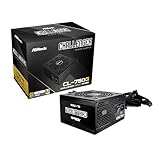
ASRock Challenger 750W Power Supply ATX 3.1 Auto iCOOL Intelligent Fan Control 120mm Golf Blade 5 Years Warranty CL-750G 80 Plus Gold Certified Non-Modular ATX3.1 PCIe5.1 12V-2×6 Cable
The ASRock Challenger 750W serves as a budget-conscious foundation for the Core Ultra 5 250K and RTX 5070 Ti, prioritizing core functionality over modular convenience. While it lacks cable management flexibility, its ATX 3.1 and 12V-2×6 support ensure it handles the transient spikes of the 5070 Ti effectively. The proprietary iCOOL fan control keeps the unit quiet during idle, making it a practical, no-frills choice for builders who prioritize internal component quality over aesthetics.
- ATX 3.1 and 12V-2×6 support ensures compatibility with the latest RTX 50-series power requirements
- Intelligent iCOOL fan control maintains low noise levels during standard desktop operation
- High-quality internal components provide stable voltage regulation for the Core Ultra 5 250K
- Non-modular design creates significant cable clutter that is difficult to manage in compact builds
- Five-year warranty is notably shorter than competing modular units in the same power class
Efficiency80+ Gold
FormATX
CablesNon-Modular
Price$50.99
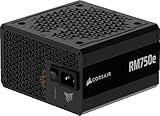
CORSAIR RM750e ATX 3.1 PCIe 5.1 Ready Fully Modular 750W Power Supply – 12V-2×6 Cable Included, Cybenetics Gold Efficiency, 105°C-Rated Capacitors, Modern Standby Mode – Black
The Corsair RM750e is an excellent match for the Core Ultra 5 250K and RTX 5070 Ti, balancing high-tier efficiency with a quiet, modern feature set. Its fully modular architecture and support for Modern Standby make it ideal for users who want a responsive, power-efficient PC that wakes instantly. With 105°C-rated capacitors and ATX 3.1 certification, it offers the electrical stability necessary to protect sensitive components during the rapid power fluctuations common in modern gaming.
- Fully modular cabling allows for a clean, professional look in any ATX chassis
- 105°C-rated capacitors ensure long-term durability under the thermal load of a 250K build
- Modern Standby support provides faster wake times and improved power efficiency for Windows users
- Rifle bearing fan is slightly less durable than the fluid dynamic bearings in premium units
- Included cables are thinner than higher-end Corsair lines, requiring careful handling during installation
Efficiency80+ Gold
FormATX
CablesFull-Modular
Price$89.99

MSI MAG A850GL PCIE5, Fully Modular Compact Gaming 850W Power Supply, 80+ Gold, ATX 3.1 & PCIe 5.1 Ready, Native Dual-Color 12V-2×6 Cable, 10 Year Warranty
The MSI MAG A850GL provides significant overhead for the Intel Core Ultra 5 250K Plus and RTX 5070 Ti, ensuring the unit operates within its peak efficiency curve during heavy gaming loads. Its ATX 3.1 compliance and native 12V-2×6 cable eliminate the need for adapters, offering superior transient spike management for next-gen GPU power demands. This 850W headroom grants peace of mind for aggressive CPU overclocking and future-proofs your rig against higher-TDP hardware upgrades.
- Native 12V-2×6 connector handles RTX 5070 Ti transient spikes without adapter-related thermal risks.
- 850W capacity provides substantial power headroom for overclocking the Intel Core Ultra 5 250K.
- Compact 140mm chassis depth ensures excellent compatibility with smaller mid-tower cases and cable management.
- Sleeve-bearing fan lacks the longevity of fluid dynamic bearing alternatives found in premium tiers.
- Included flat ribbon cables are somewhat stiff, making tight routing behind the motherboard tray difficult.
Efficiency80+ Gold
FormATX
CablesFull-Modular
Price$109.99
Amazon.com prices as of 10/02/2026 17:55 GMT+0000 —
Details
Product prices and availability are accurate as of the date/time indicated and are subject to change.
Any price and availability information displayed on Amazon.com at the time of purchase will apply to the purchase of this product.
As an Amazon Associate, we earn from qualifying purchases.
📊 Quick Comparison
See the key differences at a glance.
| # | Model | Wattage | Efficiency | Modular | Price |
|---|---|---|---|---|---|
| 1 | MSI MAG A750GL PCIE5, Fully Modular Compact Gaming 750W Power Supply, 80+ Gold, ATX 3.1 & PCIe 5.1 Ready, Native Dual-Color 12V-2×6 Cable, 10 Year Warranty | 750W | 80+ Gold | Full-Modular | $95.49 |
| 2 | ASRock Challenger 750W Power Supply ATX 3.1 Auto iCOOL Intelligent Fan Control 120mm Golf Blade 5 Years Warranty CL-750G 80 Plus Gold Certified Non-Modular ATX3.1 PCIe5.1 12V-2×6 Cable | 750W | 80+ Gold | Non-Modular | $50.99 |
| 3 | CORSAIR RM750e ATX 3.1 PCIe 5.1 Ready Fully Modular 750W Power Supply – 12V-2×6 Cable Included, Cybenetics Gold Efficiency, 105°C-Rated Capacitors, Modern Standby Mode – Black | 750W | 80+ Gold | Full-Modular | $89.99 |
| ⬆️ | MSI MAG A850GL PCIE5, Fully Modular Compact Gaming 850W Power Supply, 80+ Gold, ATX 3.1 & PCIe 5.1 Ready, Native Dual-Color 12V-2×6 Cable, 10 Year Warranty Upgrade | 850W | 80+ Gold | Full-Modular | $109.99 |
🔌 Power Budget
Your system uses 70% of the recommended PSU output — well within the efficient operating range.
750W (Recommended)
System draw: 525W
Headroom: 225W (30%)
💡 Why 750W?
Power Calculation
CPU + GPU draw, plus ~100W for motherboard, RAM, fans, and storage.
30% Headroom
Extra capacity absorbs transient power spikes, keeps efficiency in the sweet spot, and leaves room for future upgrades.
80 Plus Efficiency
We only recommend certified PSUs. Higher ratings mean less wasted energy, lower heat, and quieter fans.
🌿 Power Efficiency Tips
Enable Modern Standby in BIOS for faster wake times.
Ensure adequate airflow in the PSU shroud area for longevity.
🎯 What This Build Can Do
1440p Gaming
High-refresh rate gaming performance for modern titles at 1440p resolution.
Content Creation
Efficient rendering and multitasking for video editing and 3D design workflows.
Productivity Workstation
Stable power delivery for intensive daily office tasks and heavy multitasking.
🔧 Installation Guide
Quick Checklist
- Mount the PSU with its fan aligned to your case airflow.
- Only connect cables you actually need (modular PSUs).
- Use dedicated PCIe power cables for NVIDIA GeForce RTX 5070 Ti — no daisy-chaining.
- Boot-test with side panel open before final assembly.
⚠️ Special Note
Route the 12V-2×6 cable without sharp bends to ensure a secure, flush connection.
See PSU recommendations for other CPU + GPU combinations.
🔗 Explore More Builds