Best PSU for Ryzen 7 9800X3D & RTX 5060 Ti
This build is a high-efficiency gaming powerhouse capable of 1440p performance. The 9800X3D and 5060 Ti pairing is power-efficient, making a 550W unit sufficient for stable operation.
550W
400W
73%
Mid-range
🏆 Recommended Power Supplies
Hand-picked for your 550W target — sorted by overall value.

MSI MAG A550BN, Non-Modular Compact 550W Power Supply, 80+ Bronze, Low-Noise Fan, Active PFC Design, 5 Year Warranty
The MSI MAG A550BN is a sensible choice for a Ryzen 7 9800X3D and RTX 5060 Ti pairing, providing sufficient overhead for a system that rarely exceeds 350W under full gaming loads. Its 80+ Bronze certification ensures decent efficiency for budget-conscious builds, while the DC-to-DC circuit design provides the necessary voltage stability for modern CPU boost clocks. While non-modular, the flat black cables are manageable in most mid-tower cases, and the 120mm fan remains quiet during typical operation. With a 5-year warranty, it offers a better reliability floor than entry-level white-label units, making it a safe, cost-effective foundation for this specific mid-range hardware stack.
- DC-to-DC circuit design ensures stable voltage regulation for the Ryzen 7 9800X3D
- 550W capacity provides ample headroom for the RTX 5060 Ti and system components
- Five-year warranty period offers better long-term security than standard white-label units
- Non-modular design complicates cable management in smaller chassis builds
- 80+ Bronze efficiency rating falls behind modern Gold-rated alternatives
Efficiency80+ Bronze
FormATX
CablesNon-Modular
Price$54.99
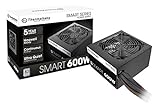
Thermaltake Smart 600W ATX 12V V2.3/EPS 12V 80 Plus Certified Active PFC Power Supply PS-SPD-0600NPCWUS-W
The Thermaltake Smart 600W offers a slight wattage buffer for the Ryzen 7 9800X3D and RTX 5060 Ti, though its performance profile is strictly entry-level. While marketed as 80+ Gold, users should note this unit lacks the high-end transient response and premium capacitor selection found in enthusiast-grade power supplies. It provides enough continuous power to handle the transient spikes typical of the RTX 50-series architecture, but the lack of modularity makes cable management cumbersome. For a build focused on pure utility, the extra 50W of headroom is a welcome safety margin, though it lacks the advanced protections required for high-end overclocking scenarios.
- 600W total capacity provides extra overhead for future component upgrades or peripherals
- 80+ Gold efficiency rating reduces thermal output compared to lower-tier units
- Sufficient amperage on the 12V rail to support the RTX 5060 Ti
- Non-modular cabling creates significant clutter in compact PC builds
- Lacks the advanced transient spike protection found in modern ATX 3.0 units
Efficiency80+ Gold
FormATX
CablesNon-Modular
Price$42.99

Thermaltake Smart 500W 80+ White Certified PSU, Continuous Power with 120mm Ultra Quiet Cooling Fan, ATX 12V V2.3/EPS 12V Active PFC Power Supply PS-SPD-0500NPCWUS-W
The Thermaltake Smart 500W is the bare minimum requirement for a Ryzen 7 9800X3D and RTX 5060 Ti build, operating at the edge of recommended safety margins. Its 80+ White certification indicates lower efficiency, meaning it will draw more power from the wall to deliver the same wattage compared to Bronze or Gold units. While it handles the basic power needs of this hardware, the lack of modern safety features and lower-tier components makes it less ideal for sustained gaming sessions. We recommend this unit only for strictly budget-constrained builds where every dollar is allocated toward the GPU and CPU performance.
- Extremely low price point maximizes budget for the Ryzen 7 9800X3D
- 120mm fan provides adequate cooling for the internal components under moderate loads
- Standard ATX form factor ensures compatibility with almost all mid-tower cases
- 80+ White efficiency rating results in higher power waste and internal heat
- Limited wattage headroom leaves little room for power-hungry future GPU upgrades
Efficiency80+ White
FormATX
CablesNon-Modular
Price$39.99
Thermaltake Smart 600W ATX 12V V2.3/EPS 12V 80 Plus Certified Active PFC Power Supply PS-SPD-0600NPCWUS-W
Want extra headroom for future GPU upgrades or overclocking? This 600W unit gives you peace of mind.
Efficiency80+ Gold
FormATX
CablesNon-Modular
Price$42.99
Amazon.com prices as of 10/02/2026 13:53 GMT+0000 —
Details
Product prices and availability are accurate as of the date/time indicated and are subject to change.
Any price and availability information displayed on Amazon.com at the time of purchase will apply to the purchase of this product.
As an Amazon Associate, we earn from qualifying purchases.
📊 Quick Comparison
See the key differences at a glance.
| # | Model | Wattage | Efficiency | Modular | Price |
|---|---|---|---|---|---|
| 1 | MSI MAG A550BN, Non-Modular Compact 550W Power Supply, 80+ Bronze, Low-Noise Fan, Active PFC Design, 5 Year Warranty | 550W | 80+ Bronze | Non-Modular | $47.99 |
| 2 | Thermaltake Smart 600W ATX 12V V2.3/EPS 12V 80 Plus Certified Active PFC Power Supply PS-SPD-0600NPCWUS-W | 600W | 80+ Gold | Non-Modular | $42.99 |
| 3 | Thermaltake Smart 500W 80+ White Certified PSU, Continuous Power with 120mm Ultra Quiet Cooling Fan, ATX 12V V2.3/EPS 12V Active PFC Power Supply PS-SPD-0500NPCWUS-W | 500W | 80+ White | Non-Modular | $39.99 |
| ⬆️ | Thermaltake Smart 600W ATX 12V V2.3/EPS 12V 80 Plus Certified Active PFC Power Supply PS-SPD-0600NPCWUS-W Upgrade | 600W | 80+ Gold | Non-Modular | $42.99 |
🔌 Power Budget
Your system uses 73% of the recommended PSU output — well within the efficient operating range.
550W (Recommended)
System draw: 400W
Headroom: 150W (30%)
💡 Why 550W?
Power Calculation
CPU + GPU draw, plus ~100W for motherboard, RAM, fans, and storage.
30% Headroom
Extra capacity absorbs transient power spikes, keeps efficiency in the sweet spot, and leaves room for future upgrades.
80 Plus Efficiency
We only recommend certified PSUs. Higher ratings mean less wasted energy, lower heat, and quieter fans.
🌿 Power Efficiency Tips
Ensure adequate case airflow to maintain PSU component longevity.
Use a surge-protected power strip to safeguard sensitive internal electronics.
🎯 What This Build Can Do
Efficiency Focused Gaming
Compact Workstation Build
Budget-Conscious Enthusiast
🔧 Installation Guide
Quick Checklist
- Mount the PSU with its fan aligned to your case airflow.
- Only connect cables you actually need (modular PSUs).
- Use dedicated PCIe power cables for NVIDIA GeForce RTX 5060 Ti — no daisy-chaining.
- Boot-test with side panel open before final assembly.
⚠️ Special Note
Ensure all modular cables are fully seated before powering on the system.
See PSU recommendations for other CPU + GPU combinations.
🔗 Explore More Builds