Best PSU for Ryzen 7 7800X3D & RTX 5070 Ti
This configuration is a powerhouse for 1440p ultra-wide gaming and high-refresh-rate competitive play, leveraging the 7800X3D's efficiency and the 5070 Ti's modern architecture.
750W
520W
69%
High-end
🏆 Recommended Power Supplies
Hand-picked for your 750W target — sorted by overall value.
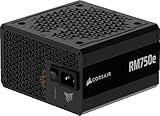
CORSAIR RM750e ATX 3.1 PCIe 5.1 Ready 750W Power Supply – Black
The Corsair RM750e is a robust choice for the Ryzen 7 7800X3D and RTX 5070 Ti, offering full ATX 3.1 compliance to handle transient spikes. Its fully modular design simplifies cable management in compact chassis, while the 12V-2×6 connector ensures a secure, direct power path to the GPU. Corsair’s reputation for high-quality capacitors and a quiet fan curve makes this unit a reliable backbone for a high-efficiency gaming rig that prioritizes long-term stability under load.
- Fully modular cabling reduces clutter for the Ryzen 7 7800X3D and RTX 5070 Ti build
- Native ATX 3.1 and PCIe 5.1 support ensures seamless power delivery to the 5070 Ti
- Compact 140mm depth allows for easier installation in smaller mid-tower cases
- Fan noise can become audible under heavy gaming loads compared to premium silent units
- Uses lower-tier capacitors compared to the flagship Corsair RMx series
Efficiency80+ Gold
FormATX
CablesFull-Modular
Price$89.99

ASRock PRO 750G Power Supply – 750W 80 Plus Gold Certified, ATX 3.1 & PCIe 5.1 Ready, Native 12V-2×6 Connector, 120mm Low-Noise Fan, 3-Year Warranty
The ASRock PRO 750G serves as a budget-conscious foundation for the Ryzen 7 7800X3D and RTX 5070 Ti, providing essential ATX 3.1 and PCIe 5.1 connectivity. While it lacks modular cables, the fixed harness is well-sleeved and sufficient for standard builds where cable management space is ample. It delivers stable 80+ Gold efficiency, though the shorter three-year warranty period reflects a more entry-level positioning compared to the other modular alternatives in this specific lineup.
- Provides cost-effective ATX 3.1 power delivery for the RTX 5070 Ti
- Native 12V-2×6 connector eliminates the need for bulky, unreliable power adapters
- Solid 80 Plus Gold efficiency rating keeps power waste low during intensive gaming sessions
- Non-modular design makes cable management significantly more difficult in tight PC builds
- Limited three-year warranty is significantly shorter than industry-standard ten-year coverage
Efficiency80+ Gold
FormATX
CablesNon-Modular
Price$54.99

MSI MAG A750GL PCIE5, Fully Modular Compact Gaming 750W Power Supply, 80+ Gold, ATX 3.1 & PCIe 5.1 Ready, Native Dual-Color 12V-2×6 Cable, 10 Year Warranty
MSI’s MAG A750GL is an excellent match for the Ryzen 7 7800X3D and RTX 5070 Ti, balancing a compact footprint with a generous ten-year warranty. The inclusion of a dual-color 12V-2×6 cable is a practical touch, allowing users to visually verify that the connector is fully seated to prevent thermal issues. Its fully modular architecture and high-efficiency platform make it a top-tier contender for users seeking long-term peace of mind and clean aesthetics.
- Ten-year warranty provides exceptional long-term value for this high-performance build
- Dual-color 12V-2×6 cable provides a visual safety indicator for proper GPU connection
- Fully modular design ensures optimal airflow around the Ryzen 7 7800X3D
- The 120mm fan can be louder than premium fluid dynamic bearing alternatives under load
- Flat ribbon cables can be stiff and difficult to route in tight spaces
Efficiency80+ Gold
FormATX
CablesFull-Modular
Price$89.99

CORSAIR RM850e (2025) ATX 3.1 PCIe 5.1 Ready 850W Power Supply – Black
The Corsair RM850e (2025) provides significant thermal and electrical headroom for the Ryzen 7 7800X3D and RTX 5070 Ti, ensuring the unit operates well within its peak efficiency curve. By stepping up to 850W, you gain critical overhead for aggressive GPU transient spikes and future-proof your rig for next-generation power-hungry hardware. This ATX 3.1 compliant unit features a native 12V-2×6 connector, eliminating the need for bulky adapters while maintaining a compact footprint for easier cable management in mid-tower chassis.
- Native 12V-2×6 connector ensures secure, adapter-free power delivery for the RTX 5070 Ti.
- 850W capacity provides substantial headroom for transient spikes and future GPU upgrades.
- ATX 3.1 compliance guarantees superior handling of rapid power excursions compared to older standards.
- Uses lower-tier capacitors compared to the premium RMx series, impacting long-term component longevity.
- The fan profile can become audible under heavy sustained loads compared to higher-end silent models.
Efficiency80+ Gold
FormATX
CablesFull-Modular
Price$115.99
Amazon.com prices as of 10/02/2026 17:05 GMT+0000 —
Details
Product prices and availability are accurate as of the date/time indicated and are subject to change.
Any price and availability information displayed on Amazon.com at the time of purchase will apply to the purchase of this product.
As an Amazon Associate, we earn from qualifying purchases.
📊 Quick Comparison
See the key differences at a glance.
| # | Model | Wattage | Efficiency | Modular | Price |
|---|---|---|---|---|---|
| 1 | CORSAIR RM750e ATX 3.1 PCIe 5.1 Ready 750W Power Supply – Black | 750W | 80+ Gold | Full-Modular | $89.99 |
| 2 | ASRock PRO 750G Power Supply – 750W 80 Plus Gold Certified, ATX 3.1 & PCIe 5.1 Ready, Native 12V-2×6 Connector, 120mm Low-Noise Fan, 3-Year Warranty | 750W | 80+ Gold | Non-Modular | $54.99 |
| 3 | MSI MAG A750GL PCIE5, Fully Modular Compact Gaming 750W Power Supply, 80+ Gold, ATX 3.1 & PCIe 5.1 Ready, Native Dual-Color 12V-2×6 Cable, 10 Year Warranty | 750W | 80+ Gold | Full-Modular | $95.49 |
| ⬆️ | CORSAIR RM850e (2025) ATX 3.1 PCIe 5.1 Ready 850W Power Supply – Black Upgrade | 850W | 80+ Gold | Full-Modular | $119.00 |
🔌 Power Budget
Your system uses 69% of the recommended PSU output — well within the efficient operating range.
750W (Recommended)
System draw: 520W
Headroom: 230W (30%)
💡 Why 750W?
Power Calculation
CPU + GPU draw, plus ~100W for motherboard, RAM, fans, and storage.
30% Headroom
Extra capacity absorbs transient power spikes, keeps efficiency in the sweet spot, and leaves room for future upgrades.
80 Plus Efficiency
We only recommend certified PSUs. Higher ratings mean less wasted energy, lower heat, and quieter fans.
🌿 Power Efficiency Tips
Enable PBO Curve Optimizer to reduce CPU power draw and thermals.
Use a high-quality surge protector to protect sensitive internal components.
🎯 What This Build Can Do
1440p Gaming
Smooth high-settings gaming at 1440p in modern titles.
Content Creation
Efficient video editing and rendering performance for professional creative workflows.
Productivity Workstation
Reliable multitasking and heavy computational tasks for daily professional use.
🔧 Installation Guide
Quick Checklist
- Mount the PSU with its fan aligned to your case airflow.
- Only connect cables you actually need (modular PSUs).
- Use dedicated PCIe power cables for NVIDIA GeForce RTX 5070 Ti — no daisy-chaining.
- Boot-test with side panel open before final assembly.
⚠️ Special Note
Ensure the 12V-2×6 cable is fully seated until it clicks into the GPU.
See PSU recommendations for other CPU + GPU combinations.
🔗 Explore More Builds