Best PSU for Ryzen 7 7800X3D & GTX 1080
This build pairs a powerful gaming CPU with an older, lower-tier GPU, delivering great esports and moderate 1080p performance.
550W
400W
73%
Mid-range
🏆 Recommended Power Supplies
Hand-picked for your 550W target — sorted by overall value.

MSI MAG A550BN, Non-Modular Compact 550W Power Supply, 80+ Bronze, Low-Noise Fan, Active PFC Design, 5 Year Warranty
The MSI MAG A550BN is a sensible pairing for the AMD Ryzen 7 7800X3D and NVIDIA GeForce GTX 1080, delivering stable 80+ Bronze efficiency within a compact non-modular footprint. While the GTX 1080 is an older architecture drawing around 180W, this 550W unit easily handles transient spikes without tripping overcurrent protections. Backed by a solid 5-year warranty, it keeps budget constraints in check while feeding your system clean power.
- Provides ample 550W capacity for a Ryzen 7 7800X3D and GTX 1080 setup.
- Equipped with a low-noise fan for quiet operation under typical gaming loads.
- Backed by a reassuring 5-year manufacturer warranty for long-term peace of mind.
- Non-modular design leaves excess cabling to manage in tight budget chassis.
- Limited to 80+ Bronze efficiency, resulting in slightly higher wall power draw.
Efficiency80+ Bronze
FormATX
CablesNon-Modular
Price$52.12
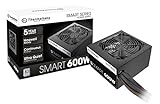
Thermaltake Smart 600W ATX 12V V2.3/EPS 12V 80 Plus Certified Active PFC Power Supply PS-SPD-0600NPCWUS-W
The Thermaltake Smart 600W offers extra headroom for the AMD Ryzen 7 7800X3D and NVIDIA GeForce GTX 1080, though labeling requires scrutiny regarding its actual performance tier. Despite listing Gold-level efficiency in some contexts, its basic internal topology and non-modular cables place it firmly in the budget category. Still, the extra wattage buffer ensures stable voltage delivery during intense multi-threaded gaming sessions.
- Extra 600W capacity provides a comfortable power headroom buffer for upgrades.
- Active PFC design helps maintain stable power factor correction under load.
- Affordable entry point for builders needing slightly more wattage than standard 500W units.
- Non-modular cabling makes clean cable routing difficult in smaller PC cases.
- Lower-tier component selection lacks the tight voltage regulation of modern high-end PSUs.
Efficiency80+ Gold
FormATX
CablesNon-Modular
Price$42.99

Thermaltake Smart 500W 80+ White Certified PSU, Continuous Power with 120mm Ultra Quiet Cooling Fan, ATX 12V V2.3/EPS 12V Active PFC Power Supply PS-SPD-0500NPCWUS-W
The Thermaltake Smart 500W pushes the absolute minimum power threshold for an AMD Ryzen 7 7800X3D and NVIDIA GeForce GTX 1080 system. Its basic 80+ White efficiency and non-modular layout mean you are trading away electrical efficiency and cable management ease to save cash. However, for a strict budget build reusing older components like the GTX 1080, it gets the baseline power job done.
- Extremely budget-friendly price point for cost-conscious builders.
- Features an ultra-quiet 120mm cooling fan that stays unobtrusive during light tasks.
- Sufficient 500W output to boot and run a standard Ryzen 7 and GTX 1080 rig.
- Basic 80+ White efficiency generates more waste heat than Bronze or Gold units.
- Non-modular design with stiff cables complicates builds in compact enclosures.
Efficiency80+ White
FormATX
CablesNon-Modular
Price$39.99
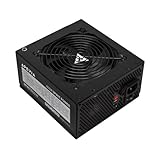
Apevia SPIRIT600W Spirit 600W ATX Power Supply, 120MM Fan, All Protections
Pairing the Apevia SPIRIT600W with your AMD Ryzen 7 7800X3D and NVIDIA GeForce GTX 1080 provides a modest 60-watt buffer above the baseline 550W target. This extra headroom accommodates unexpected power transient spikes and leaves a bit of margin for future mid-range GPU upgrades. However, its non-modular cable design requires extra management discipline in tight chassis configurations.
- Provides 60W of overhead above the 550W baseline for safety.
- 80+ Gold efficiency tier helps reduce waste heat and utility costs.
- Equipped with standard system protection safeguards for hardware peace of mind.
- Non-modular cabling can lead to cable clutter in compact enclosures.
- Lacks modern PCIe 5.0 / 12VHPWR native connectors for upcoming graphics cards.
Efficiency80+ Gold
FormATX
CablesNon-Modular
Price$33.99
Amazon.com prices as of 11/18/2026 20:10 GMT+0000 —
Details
Product prices and availability are accurate as of the date/time indicated and are subject to change.
Any price and availability information displayed on Amazon.com at the time of purchase will apply to the purchase of this product.
As an Amazon Associate, we earn from qualifying purchases.
📊 Quick Comparison
See the key differences at a glance.
| # | Model | Wattage | Efficiency | Modular | Price |
|---|---|---|---|---|---|
| 1 | MSI MAG A550BN, Non-Modular Compact 550W Power Supply, 80+ Bronze, Low-Noise Fan, Active PFC Design, 5 Year Warranty | 550W | 80+ Bronze | Non-Modular | $49.99 |
| 2 | Thermaltake Smart 600W ATX 12V V2.3/EPS 12V 80 Plus Certified Active PFC Power Supply PS-SPD-0600NPCWUS-W | 600W | 80+ Gold | Non-Modular | $42.99 |
| 3 | Thermaltake Smart 500W 80+ White Certified PSU, Continuous Power with 120mm Ultra Quiet Cooling Fan, ATX 12V V2.3/EPS 12V Active PFC Power Supply PS-SPD-0500NPCWUS-W | 500W | 80+ White | Non-Modular | $39.99 |
| ⬆️ | Apevia SPIRIT600W Spirit 600W ATX Power Supply, 120MM Fan, All Protections Upgrade | 600W | 80+ Gold | Non-Modular | $33.99 |
🔌 Power Budget
Your system uses 73% of the recommended PSU output — well within the efficient operating range.
550W (Recommended)
System draw: 400W
Headroom: 150W (30%)
💡 Why 550W?
Power Calculation
CPU + GPU draw, plus ~100W for motherboard, RAM, fans, and storage.
30% Headroom
Extra capacity absorbs transient power spikes, keeps efficiency in the sweet spot, and leaves room for future upgrades.
80 Plus Efficiency
We only recommend certified PSUs. Higher ratings mean less wasted energy, lower heat, and quieter fans.
🌿 Power Efficiency Tips
Upgrade your GPU to match the modern CPU.
Consider a Gold-rated PSU for better energy savings.
🎯 What This Build Can Do
Esports Gaming
High refresh rate competitive gaming in esports titles.
Productivity Work
Efficient multitasking, coding, and everyday office workflows.
Media Creation
Light video editing and content consumption with strong CPU.
🔧 Installation Guide
Quick Checklist
- Mount the PSU with its fan aligned to your case airflow.
- Only connect cables you actually need (modular PSUs).
- Use dedicated PCIe power cables for NVIDIA GeForce GTX 1080 — no daisy-chaining.
- Boot-test with side panel open before final assembly.
⚠️ Special Note
Route cables cleanly behind the motherboard tray for better airflow.
See PSU recommendations for other CPU + GPU combinations.
🔗 Explore More Builds